
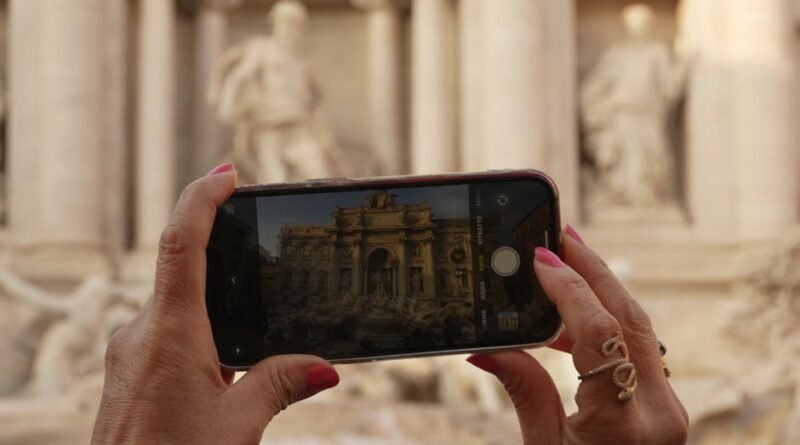
How to Plan a Self Guided Historical Landmark Tour with Google Maps, Audio Guides, and Offline Lists
Planning your own landmark route can be far more rewarding than following a crowded group, but it also comes with a common problem: how do you build a self-guided historical landmark tour that is easy to follow, rich in context, and reliable even when your signal drops? If you have ever saved too many places, lost track of opening times, or arrived at a site without knowing why it matters, a better system makes all the difference.
This guide explains how to plan a self-guided historical landmark tour using Google Maps, audio guides, and offline lists. You will learn how to choose stops, organize them in a sensible route, add useful historical context, and prepare backup information so you can explore confidently without a guide leading the way.
Key Takeaways
- Start with a clear theme and a realistic walking area so your route feels focused instead of rushed.
- Use Google Maps lists to save landmarks, then sort them by location, timing, and importance.
- Add audio guides for context, but always verify that content can be downloaded for offline use.
- Create an offline backup with addresses, opening hours, tickets, and short notes for each stop.
- Test your route before you go so navigation, pacing, and battery use do not become problems on the day.
Start with a clear tour goal
Choose a theme instead of collecting random landmarks
The best self-guided historical landmark tour usually follows a simple idea. That theme might be colonial architecture, religious heritage, war memorials, old government buildings, industrial history, or a city’s founding district.
A theme helps you decide what to include and what to skip. It also makes the experience more memorable because each stop connects to the next instead of feeling like a list of unrelated photo points.
Set limits for time, distance, and energy
Independent travelers often overplan. A route that looks easy on a screen can feel very different once you add hills, crowds, museum visits, and time spent reading plaques or listening to audio.
Before saving landmarks, decide how long you want the tour to last. For most walking tours, a compact route with a manageable number of stops is better than an ambitious plan that becomes tiring halfway through.
Quick Tip: If you want a relaxed experience, choose a route you can finish comfortably without needing to rush the final third.
Use Google Maps to build the route
Save landmarks into one dedicated list
Google Maps is useful because it lets you keep all candidate stops in one place. Create a dedicated list for your tour and save every possible landmark there before you start narrowing it down.
This works especially well when you are comparing clusters of sites in an old town, historic center, or heritage district. If you want a practical overview of organizing saved places and trip planning in Maps, this guide to using Google Maps for trip planning gives a good introduction to lists and itinerary mapping.
Group stops by area, not by popularity
Once your landmarks are saved, zoom out and look for natural clusters. A self-guided historical landmark tour should usually move in a logical geographic loop or one-way path, not jump across the city because one famous site sits far away.
Start with the densest historic area first. Then include nearby stops that add value without forcing long detours.
Check practical details for every stop
A landmark may be visible from outside at any time, but some sites have restricted entry, security checks, ticketed interiors, or limited visiting hours. Add a short note for each saved place with what matters most: exterior only, interior access, paid entry, closed on certain days, or best viewed at a specific time.
This step prevents a common mistake: designing a route around places you cannot actually visit when you arrive.
Add historical context with audio guides
Use audio to turn a walk into a story
Maps help you move, but they do not explain why a landmark matters. Audio guides can fill that gap by providing historical background, local stories, and transitions between stops.
That is what makes a self-guided historical landmark tour feel closer to a curated experience rather than a series of map pins. Even a short audio explanation can help you notice architectural details, dates, or events you would otherwise miss.
Choose audio guides that work offline
Offline access matters, especially in places with weak mobile coverage, expensive roaming, or thick stone buildings that interfere with signal. Before relying on any app, confirm that the route, map, and audio files can be downloaded in advance.
For example, VoiceMap offers self-guided audio tours in many destinations, and some tour providers also build routes around custom maps and offline GPS-triggered narration, as shown in these self-guided walking tours with maps.
Do not depend on one source alone
Audio guides vary in quality. Some are excellent for storytelling but weak on navigation, while others are easy to follow but light on historical depth.
Use audio as one layer of your planning, not the entire system. Your map, offline notes, and landmark list should still make sense even if the audio app is clunky or a stop is outdated.
| Tool | Best for | Watch out for |
|---|---|---|
| Google Maps lists | Saving places and building a logical route | Not all historical context is built in |
| Audio guide apps | Stories, background, and guided pacing | Quality and route accuracy can vary |
| Offline notes | Backup details and quick reference | Need manual preparation |
Make an offline backup list you can trust
What to include in your offline list
Your offline list is your safety net. It should be simple enough to read quickly on your phone, but detailed enough to rescue the day if your apps fail.
For each landmark, include:
- Name of the site
- Street address or nearby intersection
- Why it matters in one sentence
- Opening hours if relevant
- Ticket notes if relevant
- Estimated visit time
- Your next stop
You can keep this in a notes app, document, spreadsheet, or even screenshots. The format matters less than having the information available offline.
Download maps before leaving your accommodation
Do not assume you can fix missing information on the move. Download the area in advance, especially if you will be walking through old city centers, large archaeological zones, or neighborhoods where signal is unreliable.
If your route crosses several districts, make sure the downloaded map area actually covers all of them. This is easy to miss when you are planning quickly.
Quick Tip: Save one extra offline note with your accommodation address and the nearest public transport stop in case you need to end the tour early.
Plan the route for walking comfort and flow
Put the most important landmark early
Energy, attention, and weather are usually better earlier in the day. If there is one landmark you care about most, place it near the beginning of the route rather than saving it for last.
This is especially useful when queues build later or when you are unsure how long smaller stops will take.
Alternate major stops with lighter ones
A good route has rhythm. Combine larger sites such as cathedrals, forts, palaces, or museums with shorter exterior stops like memorials, statues, gates, or historic houses.
This keeps the tour moving and prevents information overload. It also gives you natural moments to rest, snack, or simply look around without feeling behind schedule.
Think about terrain and amenities
Historic districts are not always easy walking. Cobblestones, stairways, steep streets, heat, and limited seating can make a short route feel demanding.
Check where you can find toilets, water, shade, and transport links. If you are planning a longer day, add a midpoint break near a square, café, or museum with facilities.
Research each landmark with purpose
Focus on what helps you appreciate the site
You do not need a full academic history of every stop. For most travelers, the most useful details are the landmark’s age, original purpose, major historical event, architectural style, and what to notice on arrival.
That information gives enough context to make the visit meaningful without turning your walk into homework.
Prepare one observation prompt per stop
A simple trick is to give yourself one thing to look for at each landmark. It might be defensive walls, carved symbols, old inscriptions, rebuilding after conflict, or a contrast between original and restored sections.
This keeps your attention active and makes the tour more immersive. It is especially useful when a site has limited signage or the most important details are easy to overlook.
Test and adjust before the day of the tour
Review the route in order
Before you head out, run through the route from start to finish. Check that the order still makes sense, the walking directions are clean, and no stop creates an awkward backtrack.
If two landmarks are similar and one is much less convenient, remove it. Editing is part of good planning.
Prepare for battery and connectivity issues
A self-guided historical landmark tour depends heavily on your phone, so battery management matters. Charge fully, carry a power bank if possible, and close apps you do not need.
If you are using audio, maps, camera, and messaging all day, battery drain can be faster than expected. Offline downloads help reduce stress when the connection is poor.
Have a simple fallback plan
Sometimes a museum is closed, a square is blocked for an event, or bad weather changes the route. Keep one or two optional stops nearby so you can adapt without rebuilding the whole day.
This flexibility is one of the biggest advantages of independent travel. A good plan should guide you, not trap you.
Mistakes to avoid on a self-guided historical landmark tour
Trying to cover too much
More stops do not automatically create a better experience. If you rush through every site, you will remember less and enjoy less.
Ignoring offline access
Even in major cities, mobile service can be inconsistent. If your route depends on live data, one weak connection can disrupt the whole day.
Choosing landmarks only because they are famous
Some lesser-known sites add more depth than the biggest headline attraction. A balanced route often mixes major monuments with smaller places that reveal how the area developed.
Skipping practical notes
Historical interest is only part of the plan. Entry rules, timing, walking distance, and rest stops are what make the route actually work.
Frequently Asked Questions
How do I plan a self-guided historical landmark tour on Google Maps?
Create a dedicated list, save all possible landmarks, then narrow them down by area, walking flow, opening hours, and importance. After that, download the map area and keep an offline note with key details for each stop.
What is the best way to use audio guides on a self-guided tour?
Use audio guides for historical context and storytelling, but do not rely on them alone for navigation. Download the content in advance and pair it with your own saved map route and offline list.
Can I do a historical landmark tour without mobile data?
Yes, if you prepare properly. Download offline maps, save addresses and notes, and make sure any audio guide files are stored on your device before you leave.
How many landmarks should I include in one day?
That depends on walking distance, site size, and your pace, but a focused route is usually better than an overloaded one. Choose enough stops to tell a clear story without making the day feel rushed.